
My Role
Lead Product Designer
Team
Project Manager, 2 Engineers, Director of Engineering
Scope
UX, UI, Design System
Platform
Web

Overview
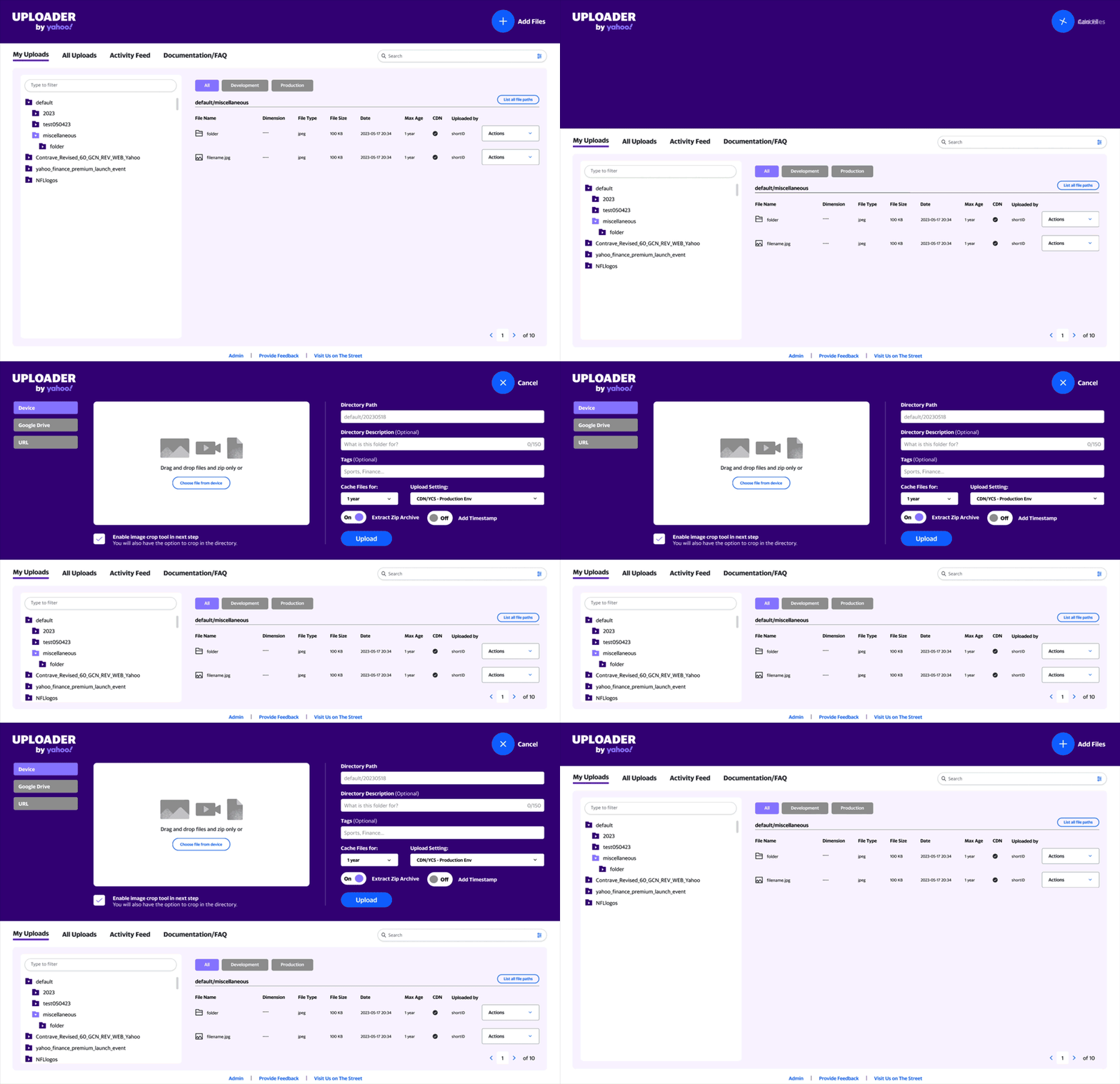
Yahoo’s uploader tool serves as critical infrastructure for editorial and advertising teams, providing centralized access to a CDN for hosting and distributing assets across the entire Yahoo ecosystem. The tool powers content delivery for major properties (News, Sports, Finance) and the company intranet, making it a backbone system for internal operations.
Despite its importance, the existing interface created friction in daily workflows, requiring users to employ external tools and navigate confusing processes—ultimately escalating support requests to the engineering team.
The Problem
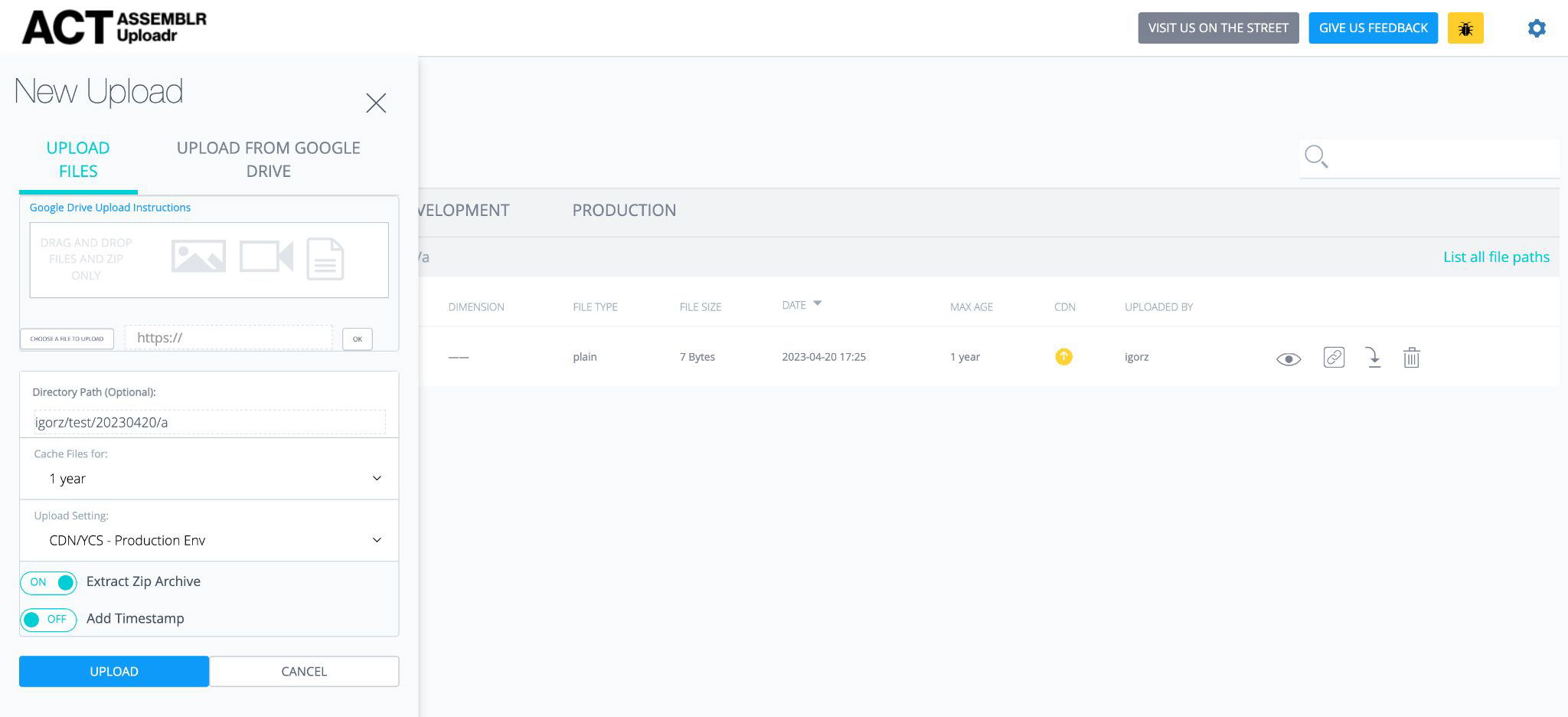
The original tool addressed a fundamental need but fell short in execution. Users had to prep assets externally, navigate fragmented experiences, work around confusing CDN concepts, and struggle to find files in growing volumes. This friction created unnecessary context-switching and drove support escalations.
Research Approach
- Survey feedback from power users — Captured pain points and workflow patterns from editorial and advertising teams
- Collaborative brainstorming with engineering — Surfaced technical constraints, integration opportunities, and support patterns revealing misconceptions
- Analytics review — Identified bottleneck actions, feature abandonment, and support ticket trendso ideas

Key Findings
User Flow Optimization Required
The current workflow introduced unnecessary friction with multiple handoffs between tools and unclear next steps. Users needed a more linear, guided experience.
Image Cropping Relies On External Tools
Integrating the existing internal cropping tool could streamline the process. A gallery interface for batch uploads would allow users to review and crop multiple images before finalizing.
Video Upload is clunky
Previously, users uploaded videos first, then discovered they needed transcoding as a separate step. Offering a preview and transcode options directly into the upload flow eliminates hopping in and out of folders.
Activity Stream Improves Engineering Support
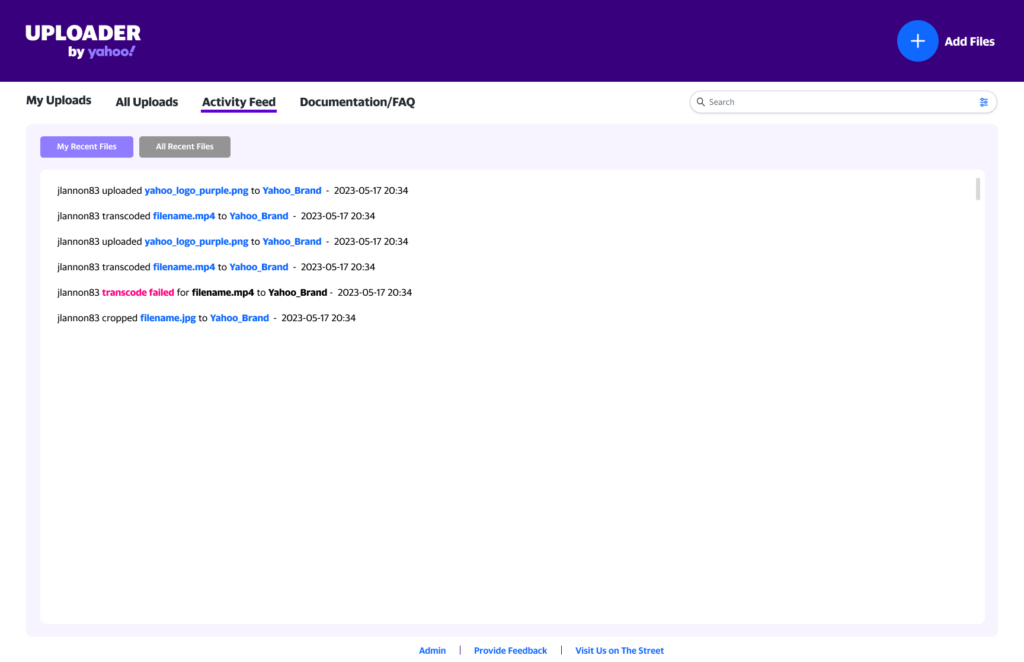
An internal activity log would give engineers visibility into user actions and file state changes, supporting faster troubleshooting without requiring users to describe what happened.
Educational Content Reduces Support Load
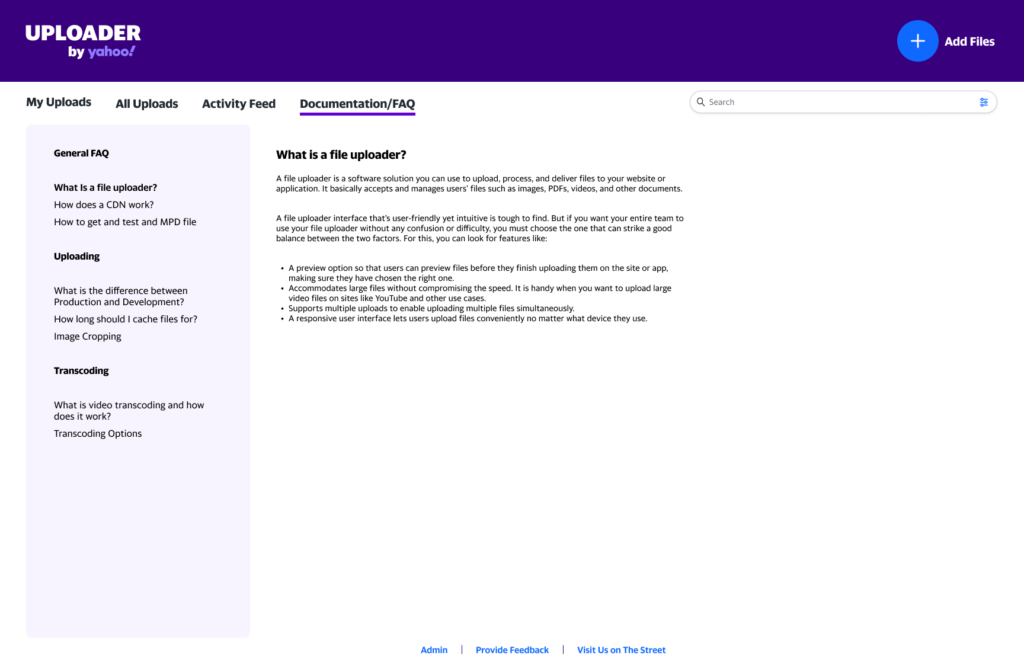
Widespread confusion about CDN functionality was driving support tickets. An FAQ covering common questions could self-serve many inquiries and reduce escalations.
Design Strategy & Solutions
User Flow Simplification
I restructured the interaction pattern to reduce clicks by 40% through:
Consolidated Upload Preparation
Image cropping became available immediately after upload, with no external tools required.
Integrated Video Tools
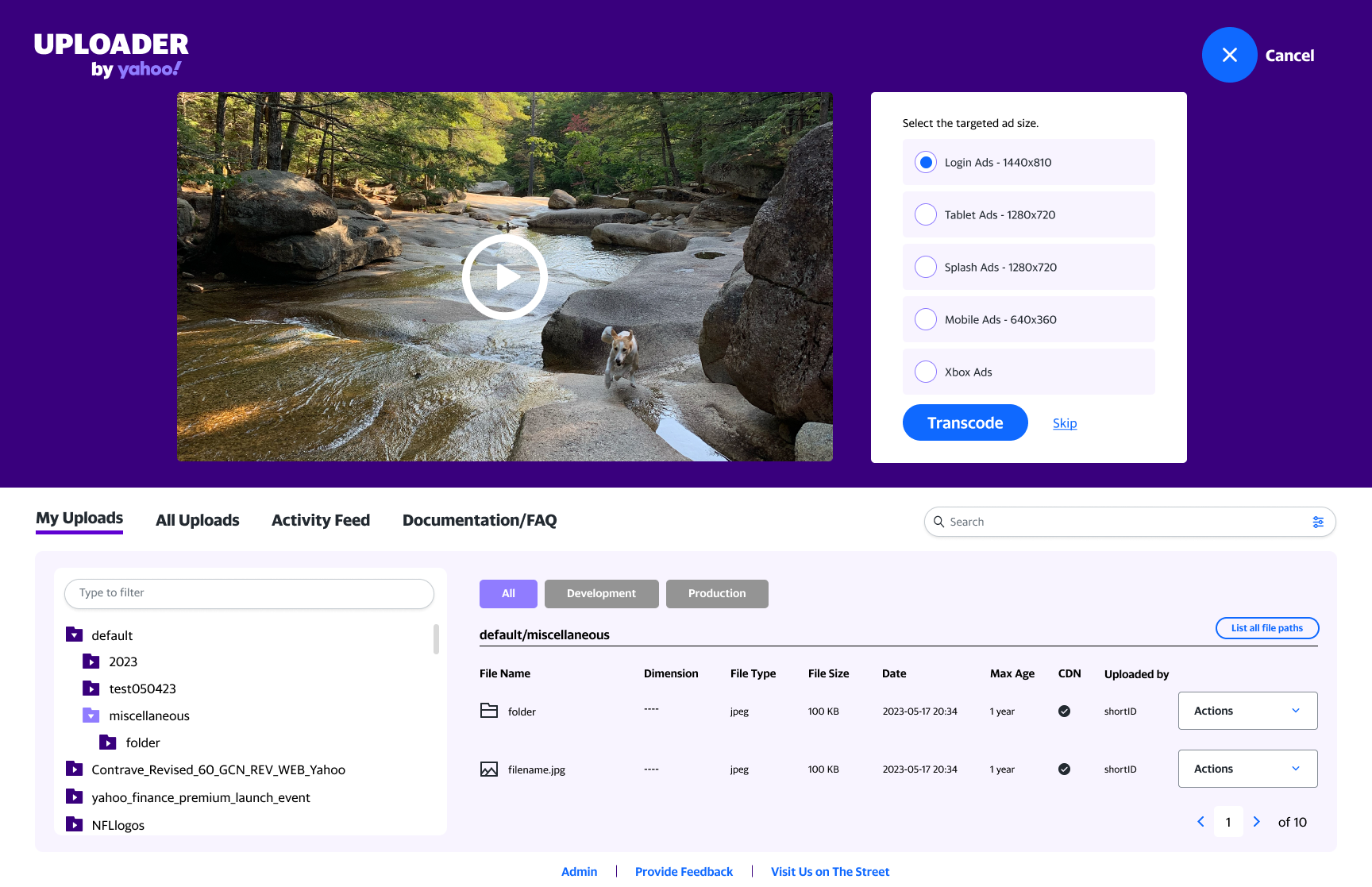
Video preview and transcoding options moved directly into the upload phase.
Unified Control Hub
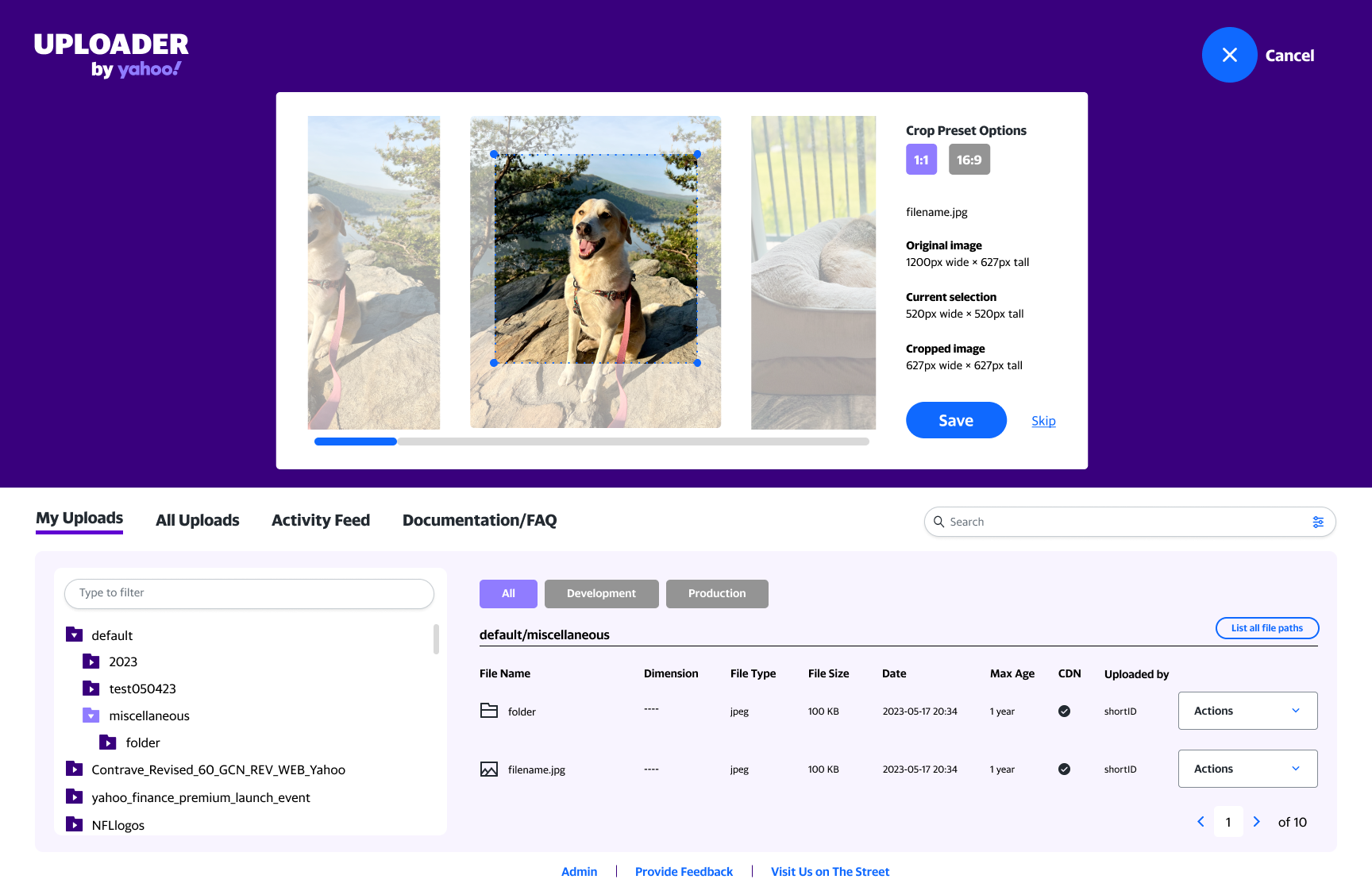
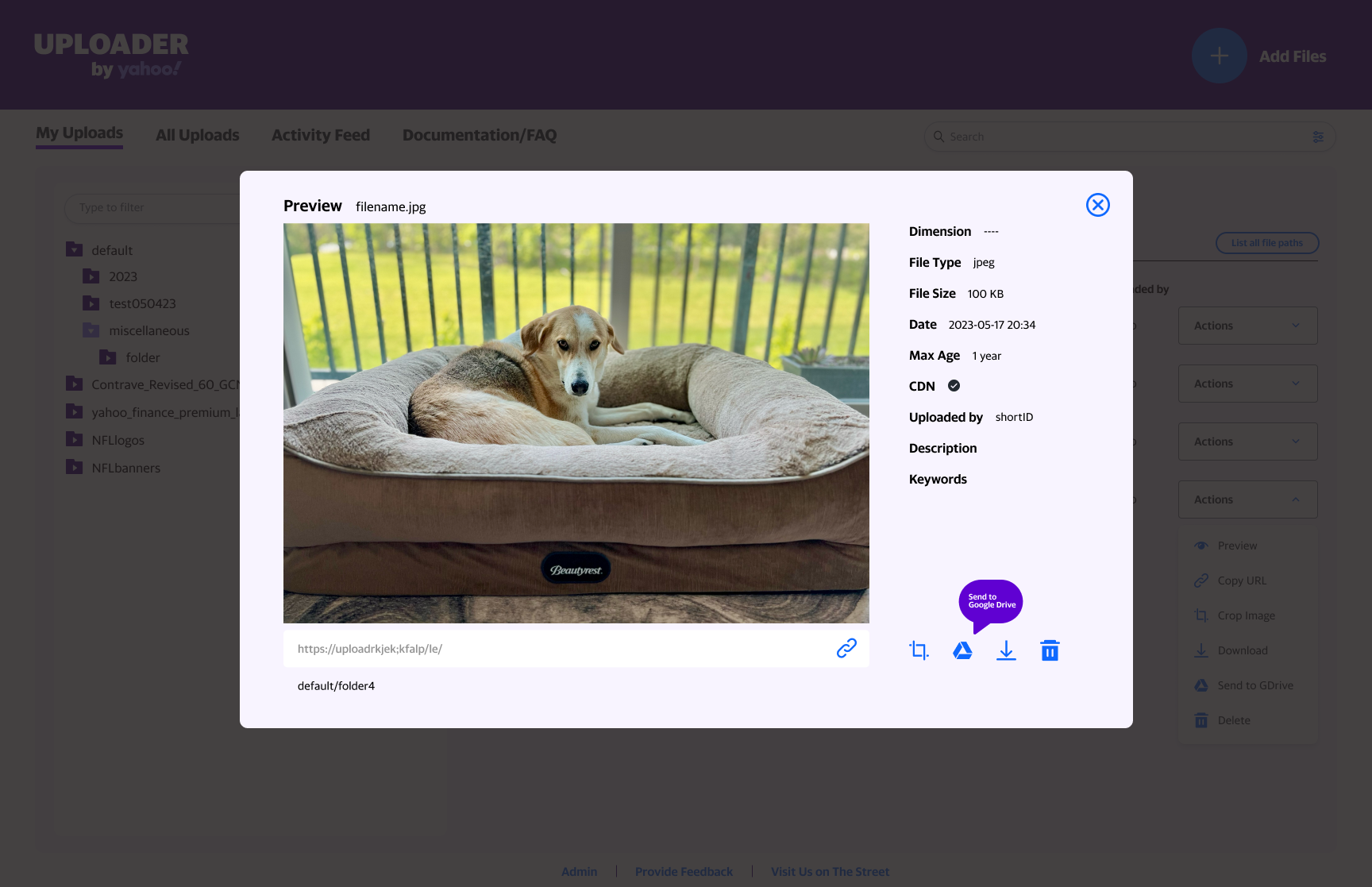
Preview modal serves as a one-stop-shop for all asset adjustments and actions.
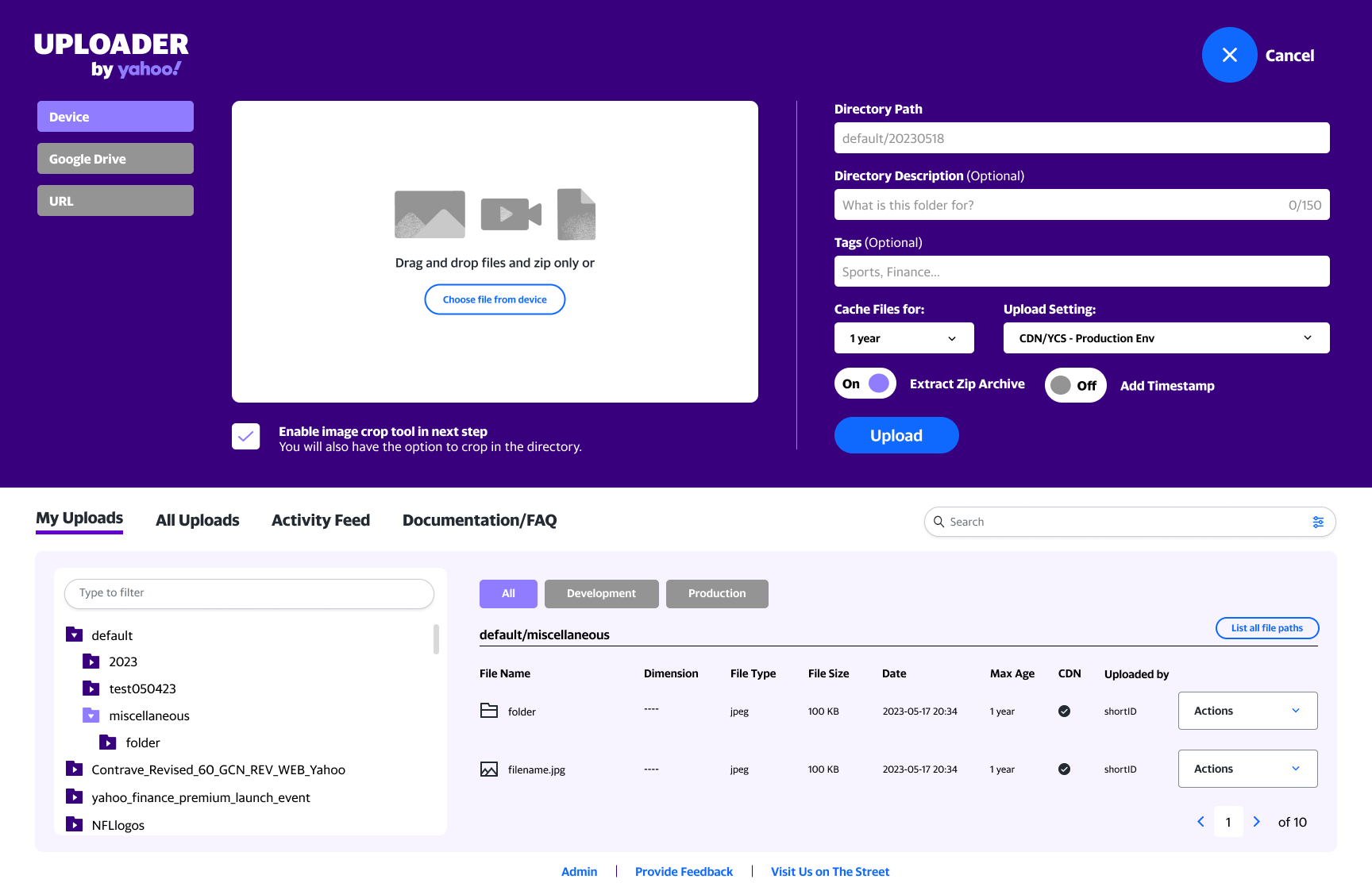
Image Asset Handling
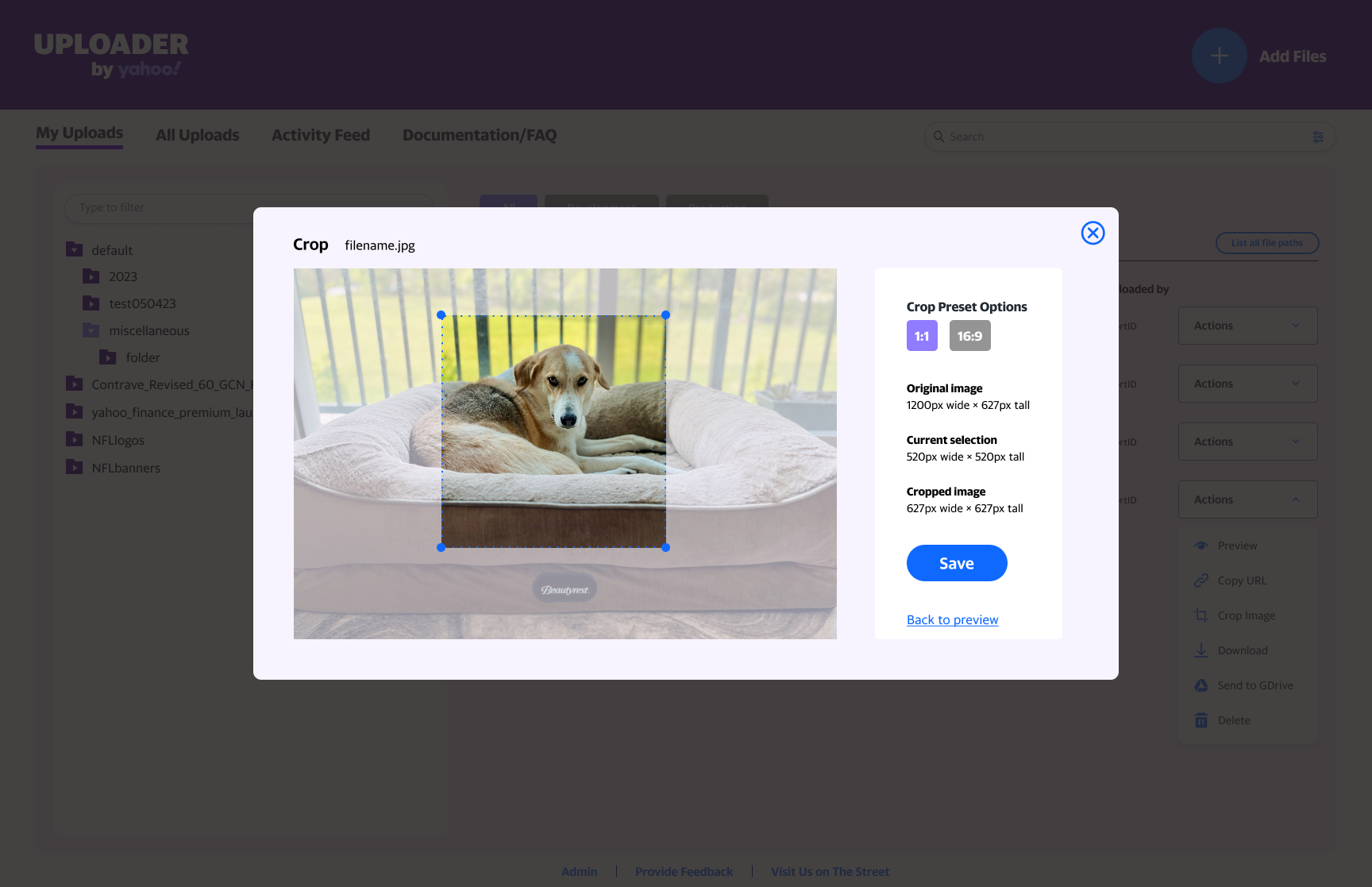
Gallery crop interface
After upload, users see thumbnails and can crop any image without re-uploading. Common aspect ratios are offered as preset buttons.
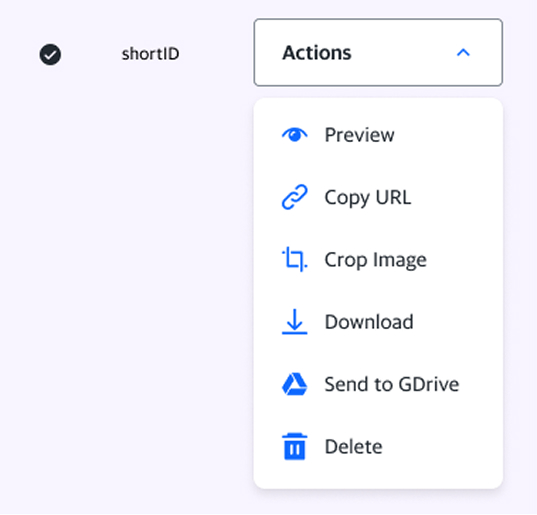
Spatial optimization
Action dropdown with icon and label pairs reduces menu clutter

Modal Window Addition
Opening the preview modal allows the user to access the other tools/options as well. Tooltips were added as well for new users.
Adjustable timing
Crop immediately after upload or defer until later
Video Workflow Needs Integrated Preview & Transcoding
Previously, users uploaded videos first, then discovered they needed transcoding as a separate step. Integrating preview and transcoding directly into the upload flow would eliminate this cognitive burden.
Information Architecture
FAQ section – Addressed top support questions about CDN mechanics and file persistence
Activity stream – Internal-facing tool showing upload history and system events for independent diagnosis
Design System Alignment
Visual Refinements
- Enhanced alert system with color differentiation (success, warning, error) and corresponding iconography
- Updated error messaging copy and styling to match system updates
- Custom-designed a loading animation
Type & Icon Updates
- Icon audit replacing outdated assets with current Yahoo design system equivalents.
- Typography and spacing updated to match refreshed design language.
- Consistent visual treatment across all UI elements





Key Tradeoffs & Decisions
The Constraint
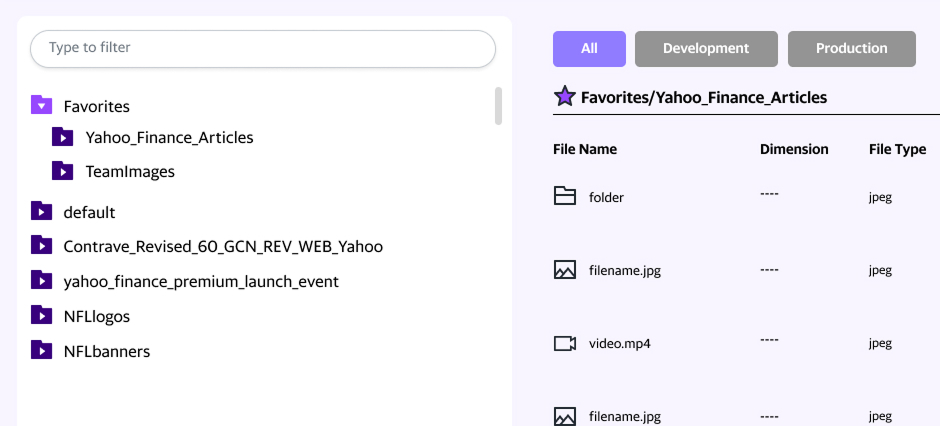
The tool loaded all company uploads by default, creating navigation challenges and privacy concerns.
Initial Recommendation
Implement team-based directories for privacy isolation and intuitive file discovery.
The Reality
Backend architecture and project timeline didn’t permit this approach.
What I Designed Instead
A folder bookmark/favorites feature that allowed users to create quick-access shortcuts to frequently used directories. While not a full organizational solution, this provided immediate relief for power users managing dozens of files and laid groundwork for future improvements.
Results & Impact
40% Reduction In Clicks
across primary workflows (upload → crop → save)
Reduced support escalations
through integrated help content and activity logs visible to engineering teams
Faster user onboarding
with clarified interface and contextual guidance reducing learning curve
Qualitative Outcomes
- User confidence increased -Transparent feedback (preview modals, progress indicators) reduced anxiety about asset handling
- Cross-team alignment – Activity stream enabled engineers to support users more effectively without repeated back-and-forths
- Reduced context-switching – Integrated cropping and transcoding kept users in a single interface
Reflection
This project demonstrated how research-informed design choices can improve not just user experience, but operational efficiency. By understanding both user pain points and engineering constraints, I was able to design solutions that respected technical limitations while meaningfully improving the workflow.
The tradeoff on team directories taught me that perfect solutions often aren’t possible, but thoughtful incremental improvements can have a large impact while keeping the project on schedule.